Code for free - or design visually with Pro
Write code. Preview changes instantly.
Free for all uses - commercial and personal
What's included:
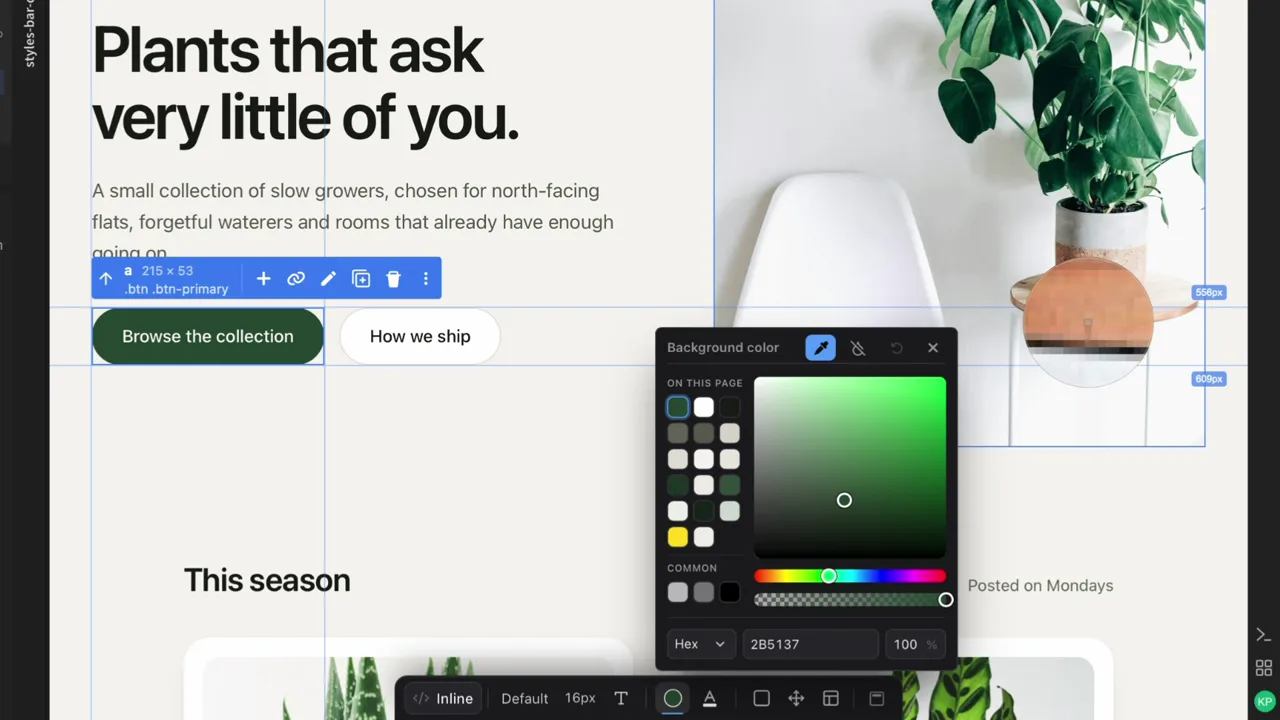
Edit directly in the preview - no code needed.
15-day free trial*1Trial starts automatically when you download and install Phoenix Code. No account, purchase or credit card required. • No credit card required
Everything in Community Edition, plus:
Students, teachers, and educational institutions can enjoy most Phoenix Pro features for free. *2
Plan details, limits, and terms are defined in the Phoenix Pro Plan Terms .
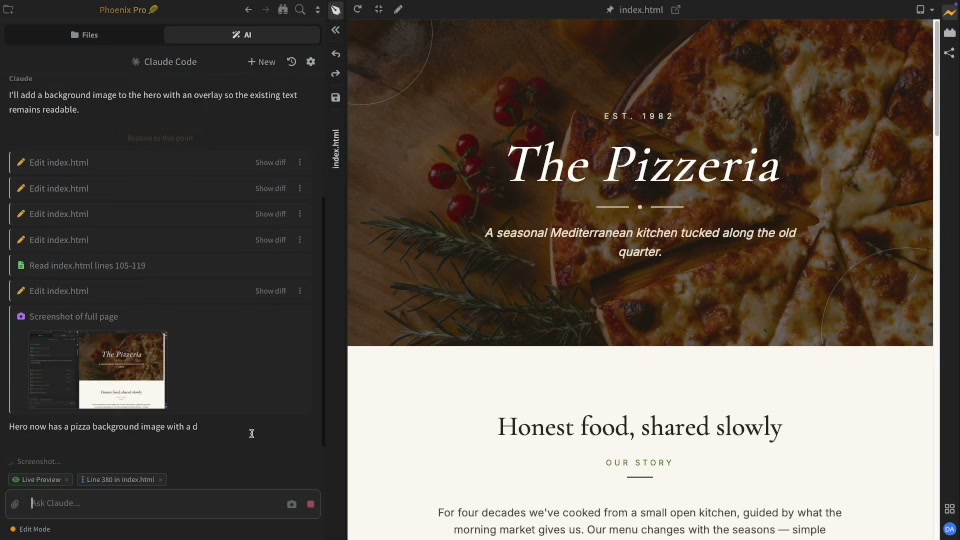
Most AI coding agents only read source code. AI in Phoenix Code looks at the rendered page too. It sees what the browser shows you, not just what the stylesheet or code implies.
Edit text, change images and tweak layout directly in the preview. No more switching between code and browser.
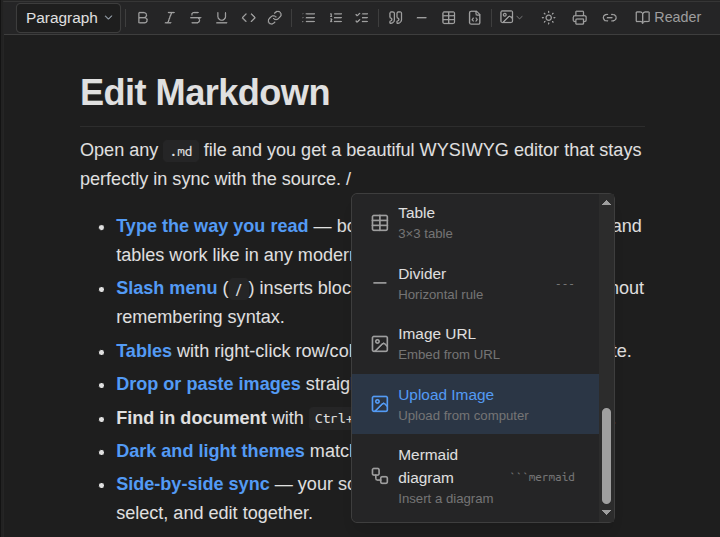
Create rich Markdown documents with images, tables, code blocks, and diagrams. Edit visually, switch to raw Markdown text anytime.
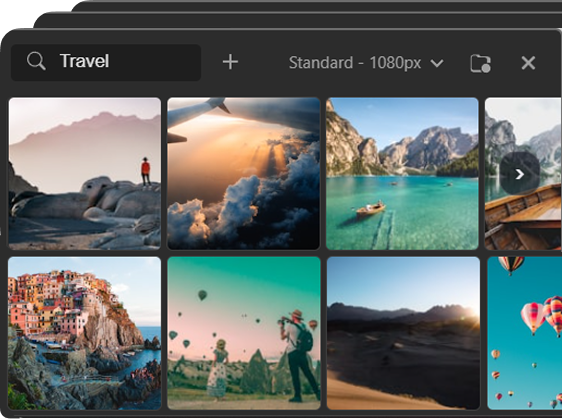
Browse royalty-free images — hover to preview instantly, click to apply. Try more options, faster.
Yes. Phoenix Code Community Edition is free to use for personal and commercial work.
We don't use your code or files to train AI models unless you explicitly grant permission.
Phoenix Pro does not include any API keys or AI credits. You need to bring your own Claude account or API key. See Claude Code integration docs for setup details.
When you open Phoenix Code for the first time, a Pro trial starts automatically on that device. No sign-in and no credit card required.
When the trial ends, Pro features turn off, and you can keep using Community Edition for free, or upgrade to continue using Pro features.
Yes. Trial access is for evaluation and includes usage limits. For the Image Library, trial users can use up to 10 image searches/downloads per month (combined).
For Phoenix Pro subscription users, the Image Library is limited to up to 1,000 searches and downloads per calendar month (combined).
See Phoenix Pro Plan Terms: https://phcode.io/phoenix-pro-plan-terms.html
Students and educators with a verified academic email address (for example, one ending in ".edu", ".ac.*", or another recognized school/university domain) get Phoenix Pro for free. Just sign in with your institutional email and Pro will activate automatically.
If we don't recognize your school's domain yet, please follow the support docs to enable Phoenix Pro for your institution.
Note: Phoenix Pro Education typically does not include Image Library access unless it's explicitly stated for your institution or plan.
Yes — you can use the images commercially. For limits and acceptable use, see the Image Library Terms.
A Lifetime License is a one-time purchase that lets you keep using Phoenix Pro on-device features indefinitely in the last version you're entitled to.
Lifetime includes updates and service-backed access through the Lifetime Update Period shown at purchase (for example, "3 years of updates").
After that, you can keep using the last eligible version forever, but online/service-backed features may be limited or unavailable.
For full details, see the Phoenix Pro Plan Terms: https://phcode.io/phoenix-pro-plan-terms.html
You can start the trial without an account. For paid plans, you'll typically use an account to manage billing and entitlements in your Phoenix Code account portal.
Yes. You can switch anytime from your account settings. When switching, you'll receive a prorated credit where applicable.
Yes - you can cancel anytime from your billing page. Cancellation stops future renewals. You can keep using Phoenix Pro until the end of your current billing term.
For details, see our Cancellation and Refund Policy: https://phcode.io/cancellation.html